Settings Reference
The rest of DDB Importer's settings. You don't need to change any of these to get started, see Initial Setup for the settings you do need.
DDB Importer Settings Window
Open Foundry's settings, click Configure Settings, select D&D Beyond Importer and click Core setup.
- Info An introduction, and links to help.
- Core Settings Your Cobalt Cookie, Campaign and Patreon key, see Initial Setup.
- Locations Where DDB Importer saves files, see below.
- Compendiums Which compendiums DDB Importer uses, see Compendiums.
- Dynamic Sync See Dynamic Sync.
- Proxy See below.
- Enhancements Optional automation, see Region Behaviours for the region options.
Locations
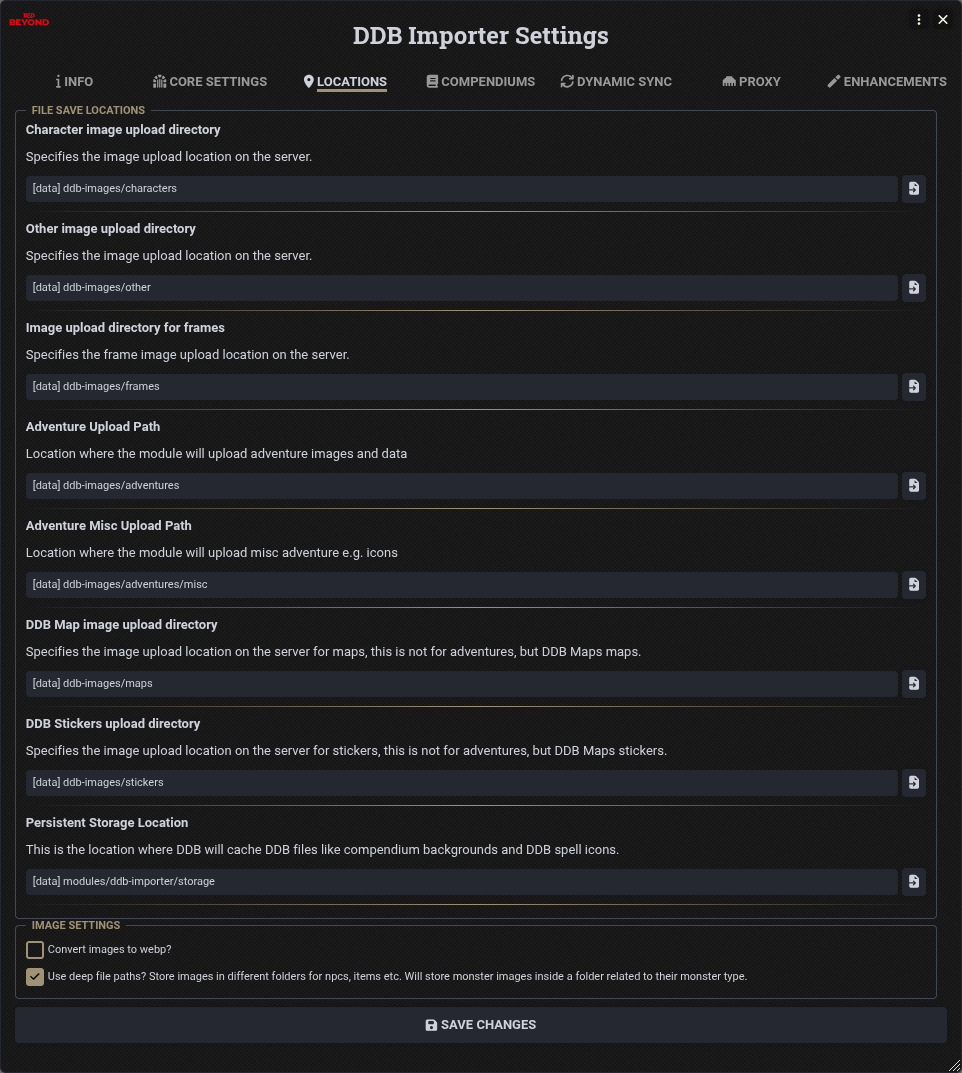
These set where DDB Importer uploads files on your Foundry server:
- Character image upload directory Character art.
- Other image upload directory Other images, such as monster, item and spell art.
- Image upload directory for frames Token frames from the Token Frame Munch.
- Adventure Upload Path Adventure images and data.
- Adventure Misc Upload Path Miscellaneous adventure files, such as icons.
- DDB Map image upload directory Maps from DDB Maps, not adventures.
- DDB Stickers upload directory Stickers from DDB Maps, not adventures.
- Persistent Storage Location Where DDB Importer caches files like compendium backgrounds and DDB spell icons.
Image settings:
- Convert images to webp? Converts uploaded images to webp.
- Use deep file paths? Stores images in different folders for NPCs, items etc, and monster images inside a folder for their monster type.
Proxy
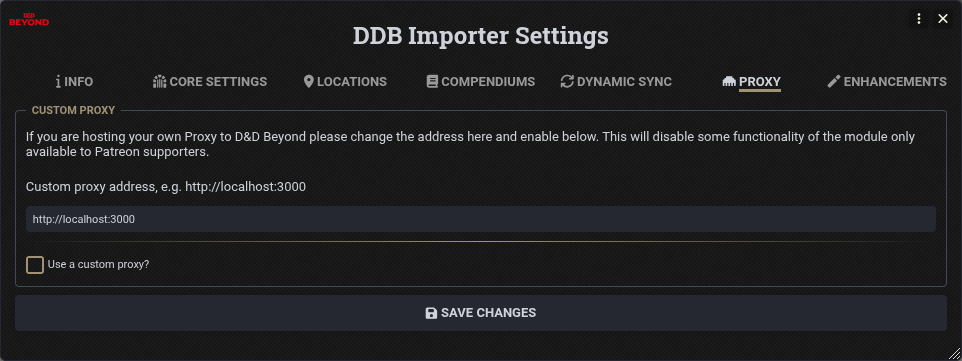
If you are running your own proxy, enter its address (e.g. http://localhost:3000) and tick Use a custom proxy?.
This will disable the features only available to Patreon supporters.
Enhancements
These add new functionality or mild automation to the 5e system. Reload your session for changes to take effect.
- Allow Moon Druid Wildshape Enhancer? Applies Improved Circle Forms and Blight Shape effects when wildshaped.
- Allow Arcane Ward Automation? Removes damage from Arcane Ward when the caster takes damage, and tracks the ward's HP.
- Allow Mighty Summoner Enhancer? Gives summoned creatures their additional HP.
- Allow Warding Bond Automation? Automates Warding Bond damage sharing and tracking.
- Allow Vestige Divine Power Recovery? Resets Divine Power uses on summoned Vestige Companions when a Vestige Patron warlock finishes a Short or Long Rest.
- Remove Enchantments Applied by Enchantment-Granted Activities? When an activity granted by an enchantment enchants another item, removes that enchantment when the granting one ends. Needs an active GM.
- Add Region Triggers for Damage/Saves on Entry or per Turn? and Prompt to Remove Expired Area Templates? See Region Behaviours.
The Weapon Property and Mastery Enhancements section lists the sources DDB Importer uses to add properties, masteries and base weapons. Sources are added here automatically when you munch items.
Module Settings
These are in Foundry's Configure Settings, under D&D Beyond Importer.
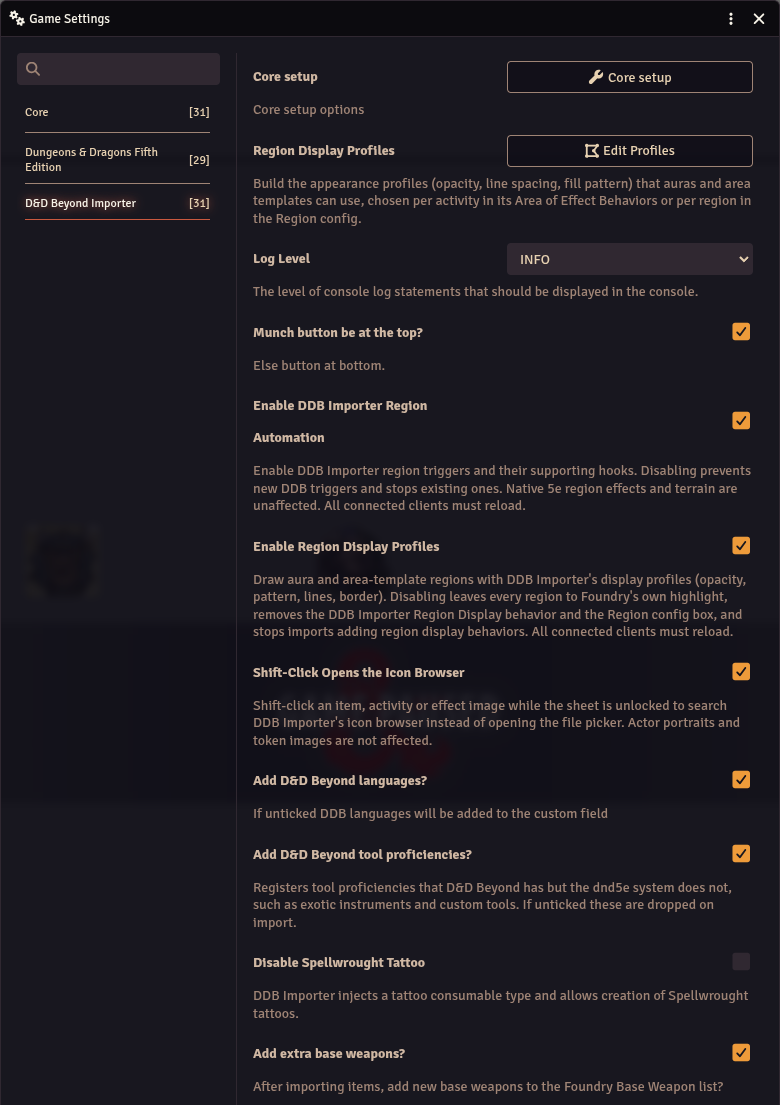
- Region Display Profiles See Region Display.
- Log Level How much DDB Importer logs to the browser console.
- Munch button be at the top? Puts the DDB Muncher button at the top of the compendium sidebar, rather than the bottom.
- Enable DDB Importer Region Automation and Enable Region Display Profiles See Region Behaviours and Region Display.
- Shift-Click Opens the Icon Browser See Icon Browser.
- Add D&D Beyond languages? If unticked, DDB languages are added to the custom field.
- Add D&D Beyond tool proficiencies? Registers tool proficiencies that D&D Beyond has but the 5e system does not, such as exotic instruments. If unticked these are dropped on import.
- Disable Spellwrought Tattoo DDB Importer adds a tattoo consumable type and allows creation of Spellwrought tattoos, tick this to turn that off.
- Add extra base weapons? After importing items, add new base weapons to the Foundry base weapon list.
- Monster D&D Beyond link in title bar? Otherwise it's a button next to the name.
- Character DDB-Importer button in title bar? Otherwise it's a button next to the name.
- Make title bar icon white? The default is red.
- Show the show image to players button? In journals, adds a hover-over button to show an image to players.
- Show the show read aloud to players button? In journals, adds a hover-over button to show read aloud text to players.
- Enable read aloud for all content? Also shows that button in content not imported by DDB Importer.
- Restrict to Trusted Users Only Trusted users can import characters.
- Allow all users to sync to DDB If character import is restricted, still allow players to update their characters back to D&D Beyond.
- Show resource chooser default? Whether the resource selection dialogue is enabled by default on new characters.
- Add restrictions to damage hint? Adds any damage restriction to the damage hint.
- Embed macros in items? and Remove macros from items? Control how Midi-QOL and DAE macros are stored on items. If macros aren't embedded, DDB Importer generates and runs them on the fly, so it needs to stay enabled.
- Loose Rules referencing? Tries to match any references to SRD rules, which may give some false positives.
- Check for available updates? and Show Welcome Message?
- Compendium Folders Style (Monsters/Spells/Items) The folders the muncher creates in these compendiums, see Compendium Folders Migration.
- Monster Spell Version Whether monsters use 2024 spells, or the spell version that matches their original rules.
Some changes need a reload to take effect.