Character Options
How to import Character Options into a Compendium
Availability
This feature is available to Undying and God tier Patreon supporters.
KNOWN ISSUES
- Spells from features are not always granted as part of advancements. You may need to add them manually for now.
- Third party subclasses and classes have not been thoroughly tested. You can let me know of broken features on discord and I will get them fixed.
- If you wish to pull content from a shared campaign, your mule character must be part of that campaign when you run the muncher. It won't add to the campaign used in the module settings.
Prerequisites
Ensure you have done the initial setup and imported Spells and Items.
If you haven't imported Spells and Items first, they won't be usable by these options.
When importing character options, always import Feats first.
Open the DDB Muncher
On the right hand side of Foundry click the Compendium section (looks like a book with a world on it). Then click DDB Muncher.
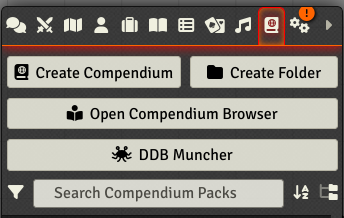
The Muncher will check that it can authenticate you to D&D Beyond, sometimes this screen won't open, see the FAQ for a fix.
General Settings
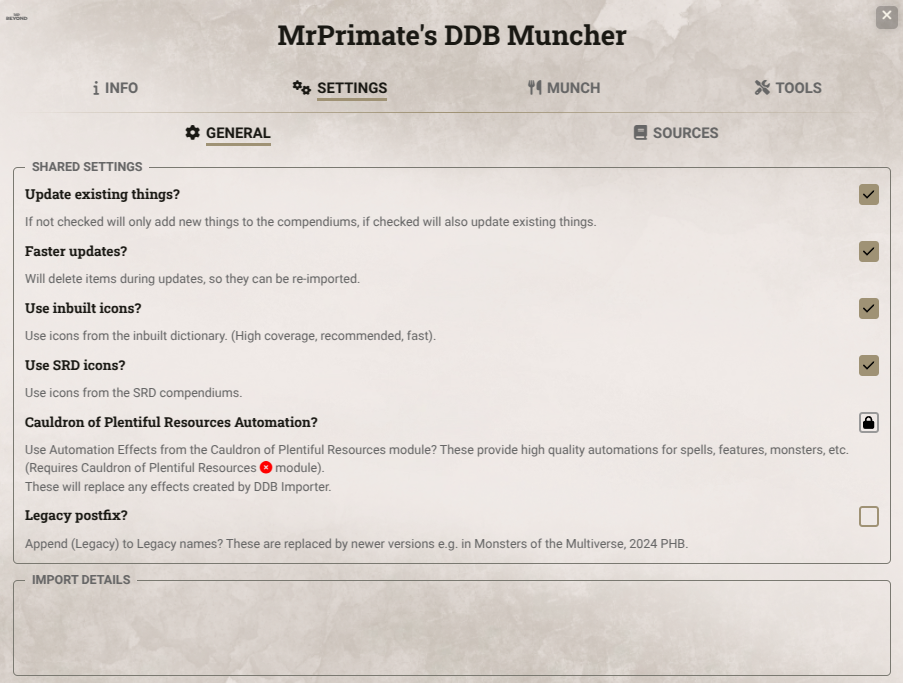
- Update Existing Things? If checked DDB Importer will update any existing items already imported, otherwise it will just create missing items.
- Faster Updates? This option will make updates faster, but it will delete your existing compendium items rather than updating them. Useful if you have not made any changes.
- Use inbuilt icons? This will add icons to imported things (monster features, items, spells), from a built in dictionary. Highly recommended.
- Use SRD icons? This will use icons from the SRD Compendiums. This can add a considerable time to your import. Some people have problems with this feature.
- Cauldron of Plentiful Resources automation? This will replace effects with those from the popular Cauldron of Plentiful Resources module. This is a high automation module that is often not compatible with the latest Foundry or D&D system version. Please read about it and understand what it does before you install and enable this module.
- Legacy postfix? Adds (Legacy) to the end of Legacy monsters, spells and items.
Character Settings
DDB Importer currently uses the settings set up when you import a character. Adjust these on the Character import screen.
Filtering Scope/Sources
You can filter the scope of the content imported using the Settings -> Sources tab:
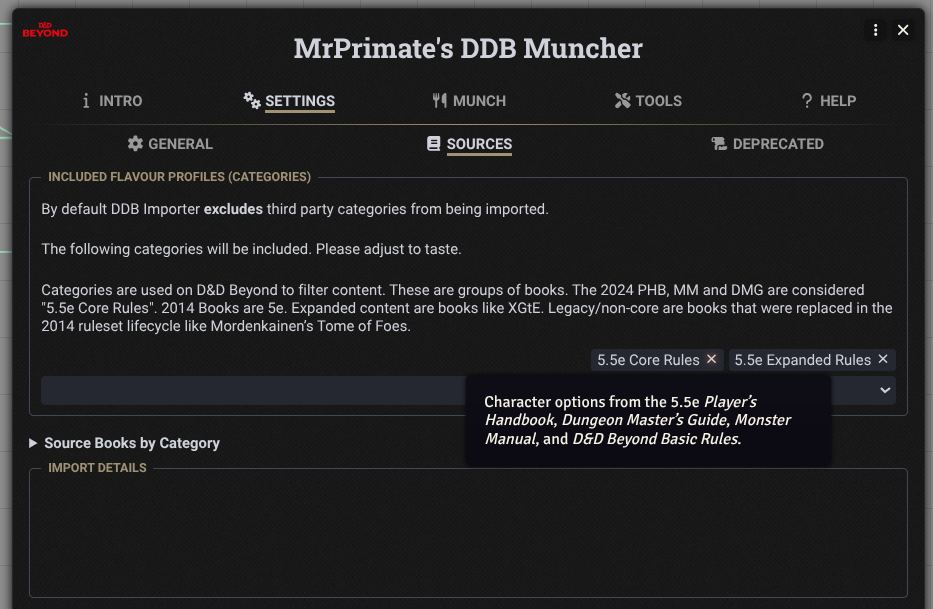
- Included Categories These are the Source categories in DDB, they often contain multiple books. Categories selected here will included. The Legacy category is not 2014 content, but content that has been outright replaced, such as that in Monsters of the Multiverse. You can click on the Source Books by Category to see exactly what is included in each category.
Importing Features
Click on the Munch -> Characters tab and you should see a screen like this:
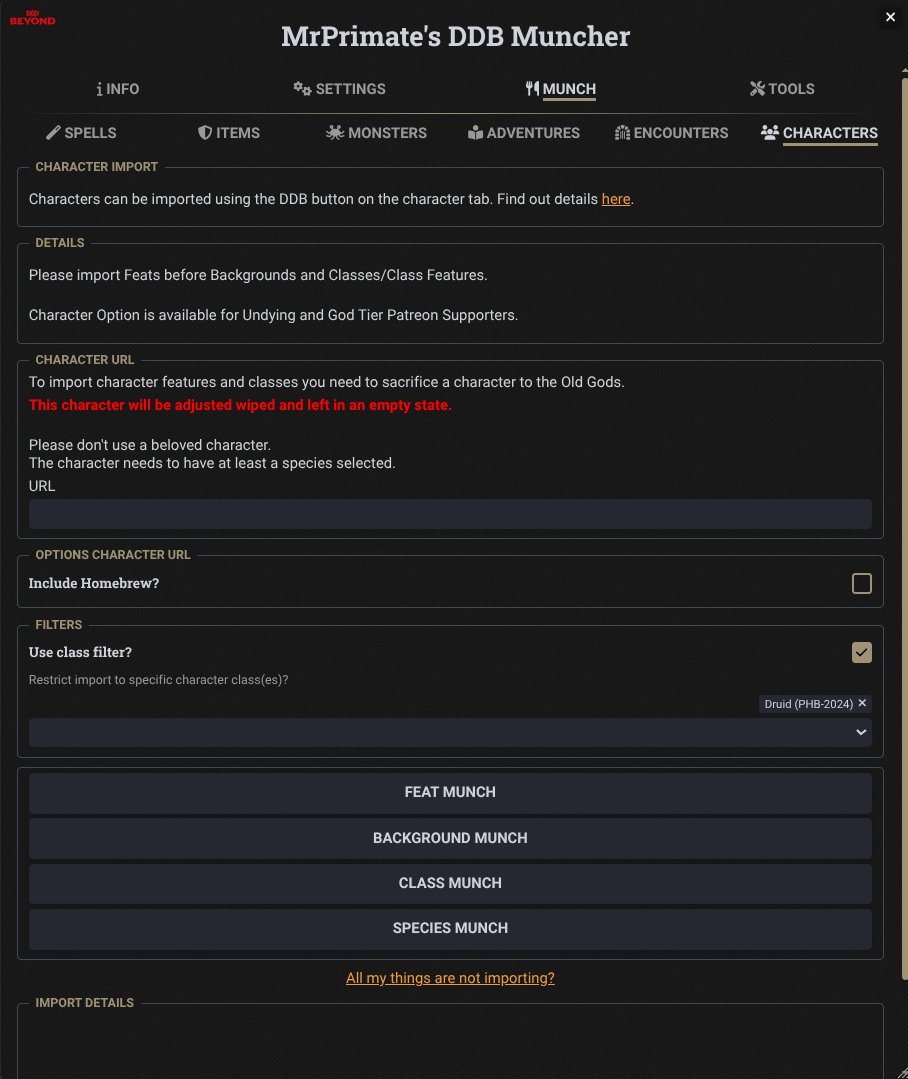
Always import FEATS first, as these are used by other options.
Please note this takes a LONG time and you should keep the browser window in focus.
It's strongly recommended that you import only 1 or 2 source categories at a time.