Quick Start
Let's discover DDB Importer in less than 5 minutes.
Getting Started
Get started by installing the module.
What you'll need
DDB Importer will not work with other systems such as Advanced 5e.
Installing the latest version of the module
In the install module screen type "DDB" into the search box, and click Install next to the DDB-Importer package displayed in the list.
Installing an older version of the module
If you are not running the latest version of Foundry/5e you may need to manually install your supported version of DDB Importer.
See this FAQ for details on finding that version.
In the install module screen paste the URL into the Manifest URL section and click Install.

Enable the module
Log into your Dungeons and Dragons 5e world and click the Settings cog in the top right, then Manage Modules.
Check the DDB Importer entry and then click Save Module Settings.
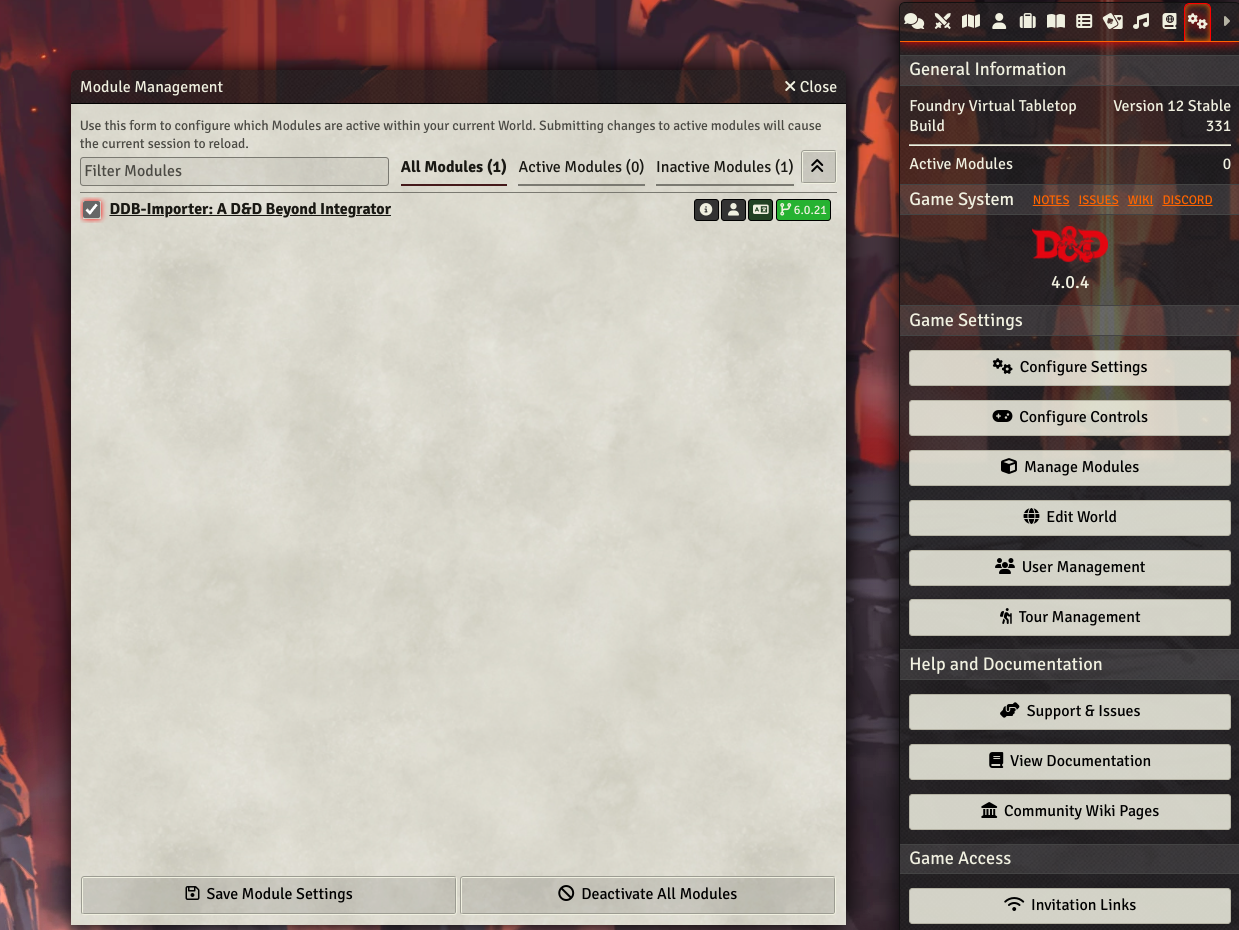
Foundry will reload and your ready to go!
Basic Setup
You don't have to do this, but it will help a lot.
Run through the Initial Setup.
Some characters need a "Cobalt Cookie", this is an authentication step with DDB. If you get a message along those lines, you will need to proceed to some setup first.
Import a player character
Create a new player character by clicking on the actors sidebar on the right hand side, then New Actor.
Select a Player Character (Monsters/NPC's are not imported this way) and fill in the creation box. The name will be overwritten by the import, so don't worry about that.
We now need to put the sheet into Edit Mode so we can open the DDB Importer character manager screen.
- Click the toggle in the top left.
- Click the D&D Beyond button that appears next to the name.

- Paste your D&D Beyond character URL into the URL section and click Start Import.
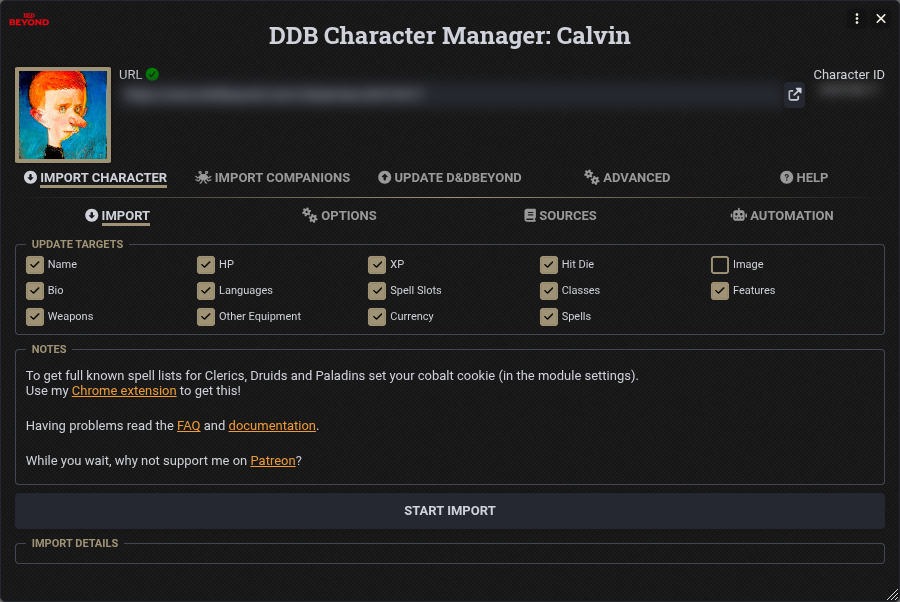
DDB Importer will take a few moments to fetch the character, parse it, and upload the data to your foundry server, including the image attached to the character.
Some characters need a "Cobalt Cookie", this is an authentication step with DDB. If you get a message along those lines, you will need to proceed to some setup first.
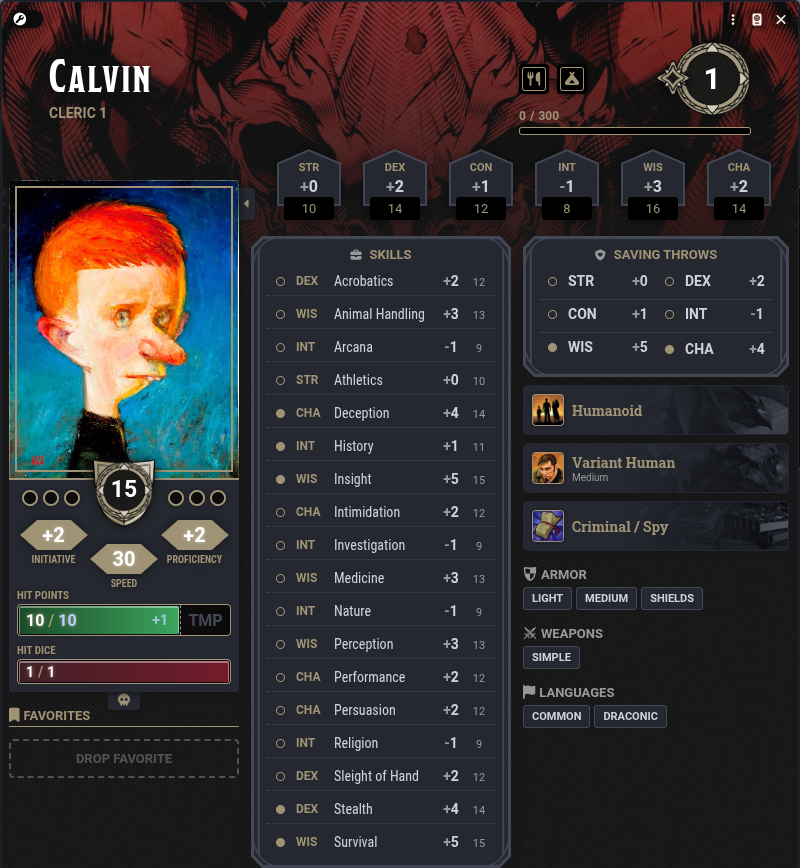
Enjoy!