Ornaments
Ornaments are small crests that sit on a token's ring. They help players read the battlefield at a glance: who is the boss, who is an ally, and how dangerous each foe is.
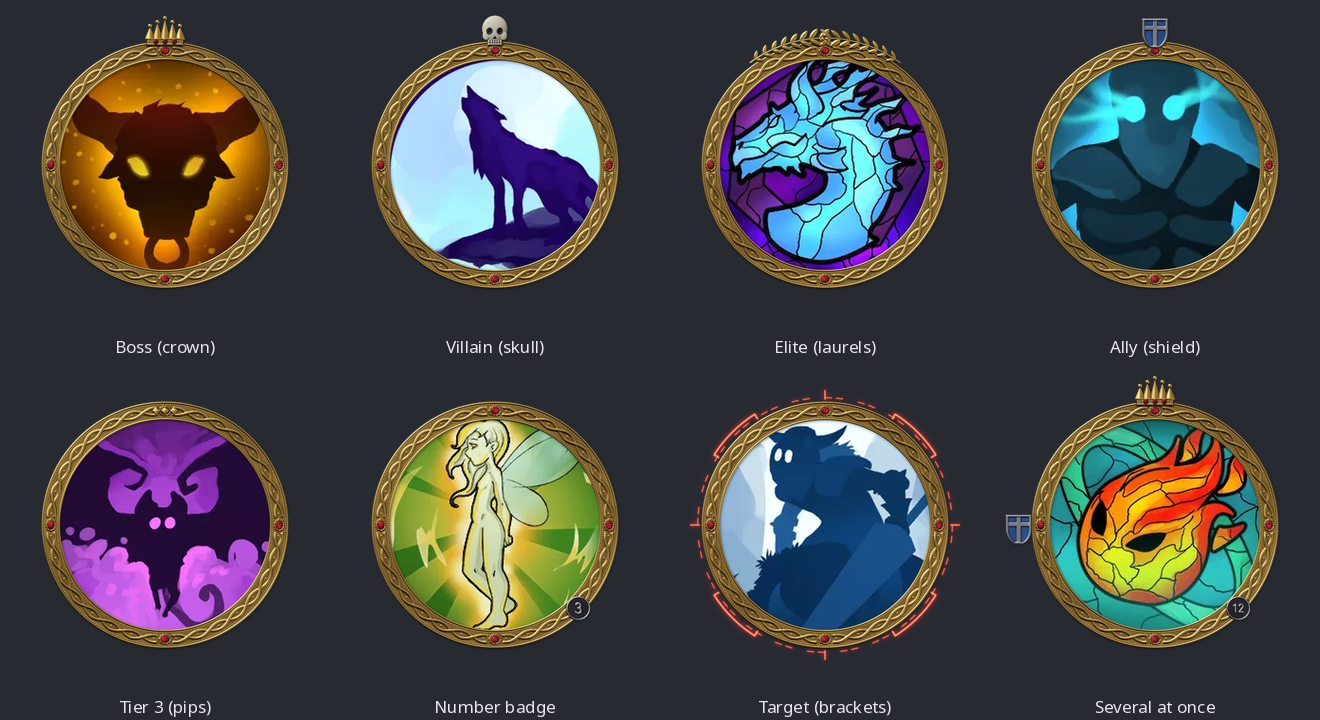
| Ornament | What it shows |
|---|---|
| Crown | Boss: a legendary or unique creature |
| Skull | Villain |
| Laurels | Elite |
| Shield | Ally, with a device on a plain or divided field |
| Pips (1 to 5) | Tier or rank, as diamonds, stars, orbs, chevrons or tally marks |
| Emblem | A star, crescent, beast, compass rose, anchor, ship's wheel or weapon, with weapons crossed in pairs (see Emblems, shields and banners) |
| Scroll banner | A short name or a faction's initials |
| Wings, horns and a dragon's head | A creature's nature: angelic, fiendish, beastly or draconic (see Wings, horns and dragons) |
| Number badge | Which copy of a creature this is (see Number Badges) |
| Rank insignia | An army rank, from lance corporal to field marshal (see Rank insignia) |
| Targeting brackets | Target |
| Your image | Any picture you like, in its own colours or embossed in a material |
Adding ornaments yourself
In the Ring Generator, open the Ornaments & Effects section and choose one from the Add list. A ring can wear up to eight ornaments, each placed and coloured on its own, and each can be mirrored or repeated round the ring.
Ornaments from actors
Tokenizer 2 can also choose an ornament for each token from its actor. A legendary dragon gets a crown and a friendly guard gets a shield, without you picking them one by one.
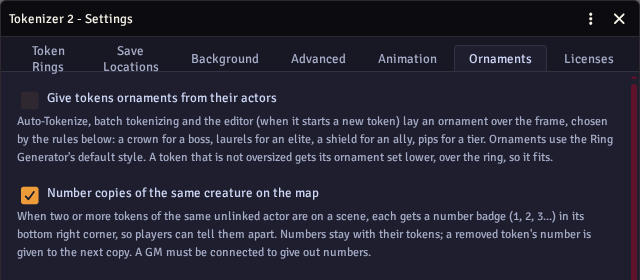
To turn this on:
- Open Settings → Configure Settings → Tokenizer 2 → Configure.
- Open the Ornaments & Effects section on the right.
- Tick Give tokens ornaments from their actors.
The ornament is added when a token is made: in Auto-Tokenize, in batch tokenizing, and when the editor opens a token for the first time. It is laid over whatever frame or ring the token uses. On a token that is not oversized, the ornament is set lower, over the ring, so it fits inside the token.
Rules
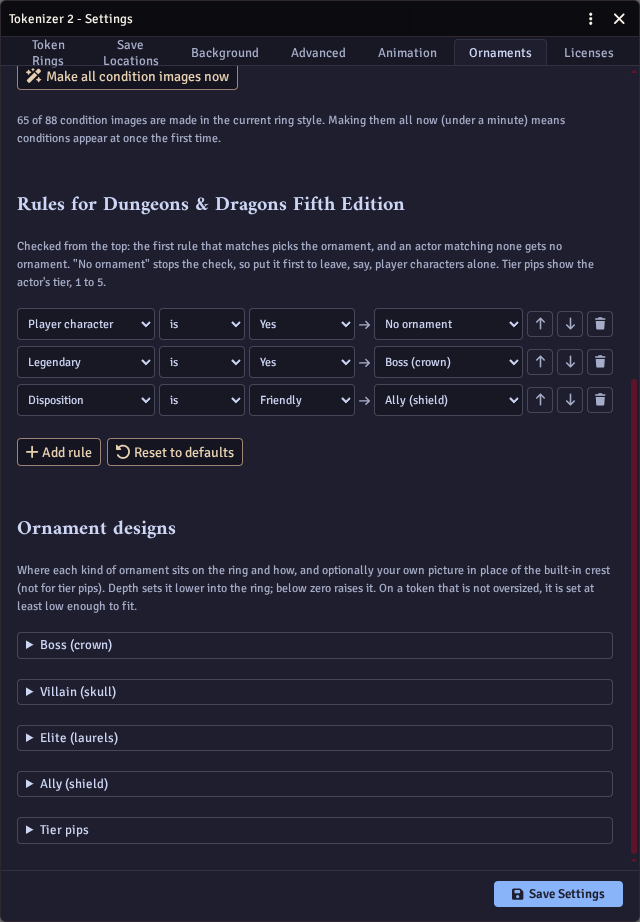
Rules decide which ornament an actor gets. They are checked from the top, and the first one that matches wins. No ornament stops the check, so put it first to leave, say, player characters alone.
Each rule looks at one fact about the actor:
- Every system - player character, disposition and actor type.
- D&D 5e - creature type, challenge rating, level, legendary, lair and tier.
- Pathfinder 2e and Starfinder 2e - traits, level, rarity, elite, weak and tier.
- Shadowdark - level, alignment and tier.
Other systems get the player character and disposition rules.
Actor data works in every system: give it the path of any field of the actor, such as system.details.type.value, and the value to test.
It compares numbers as numbers and ignores case in text, and has looks for a value in a list or a word in a text.
Reset to defaults puts the rules for your system back to how they started.
Rules can also give a creature's crest (Dragon, Fiend, Angelic, Beast), a combat role (Warrior, Ranger, Caster) or a seafarer's emblem (Sailor, Navigator, Helm). For example, Creature type is Fiend → Fiend gives fiends demon horns.
Rules can also give a rank: every army rank is a choice, such as Rank: Captain. For example, Challenge rating at least 10 → Rank: Brigadier.
To give one actor a particular ornament whatever the rules say, set its ornament flag, for example actor.setFlag("tokenizer-2", "ornament", "boss"), "rank-sergeant", or "none" for no ornament.
Designs
Ornament designs sets how each kind of ornament looks on tokens:
- Position - where it sits on the ring.
- Depth - how far into the ring it is set (below zero raises it above the ring).
- Rotation, Line and Keep upright - how it is turned.
- Flip, Mirror across the ring, Repeat and Spread - copies, as in the Ring Generator, for example a pair of wings for elites or three shields round an ally's ring.
- Your own picture - use your own image instead of the built-in crest (not for tier pips or ranks), in its own colours or embossed.
- Finish (rank insignia only) - which of the three finishes ranks from the rules use.
- Marker (tier pips only) - diamonds, stars, orbs, stacked chevrons or tally marks.
The dragon, fiend, angelic and beast crests each have a design; the combat roles share one, and so do the seafarers. Wings and horns start in mirrored pairs on the ring's upper sides, and wings start turned up.
Ornament images are drawn once, in the Ring Generator's default style, and kept in an ornaments folder inside your Generated Frames folder.
A number badge in the Ring Generator has the same choices as a badge design: its shape, lettering, number style, prefix and separator, glow, and a material each for its rim, background and label (and a medal's ribbon and stripes). Its Seat puts it on the ring's outer edge, on the band, or clear of the ring, and a badge never turns: Rotation turns only its label. Several badges on one ring each keep their own colours.
Number badges, which tell copies of the same creature apart on the map, have their own page: see Number Badges.
Rank insignia
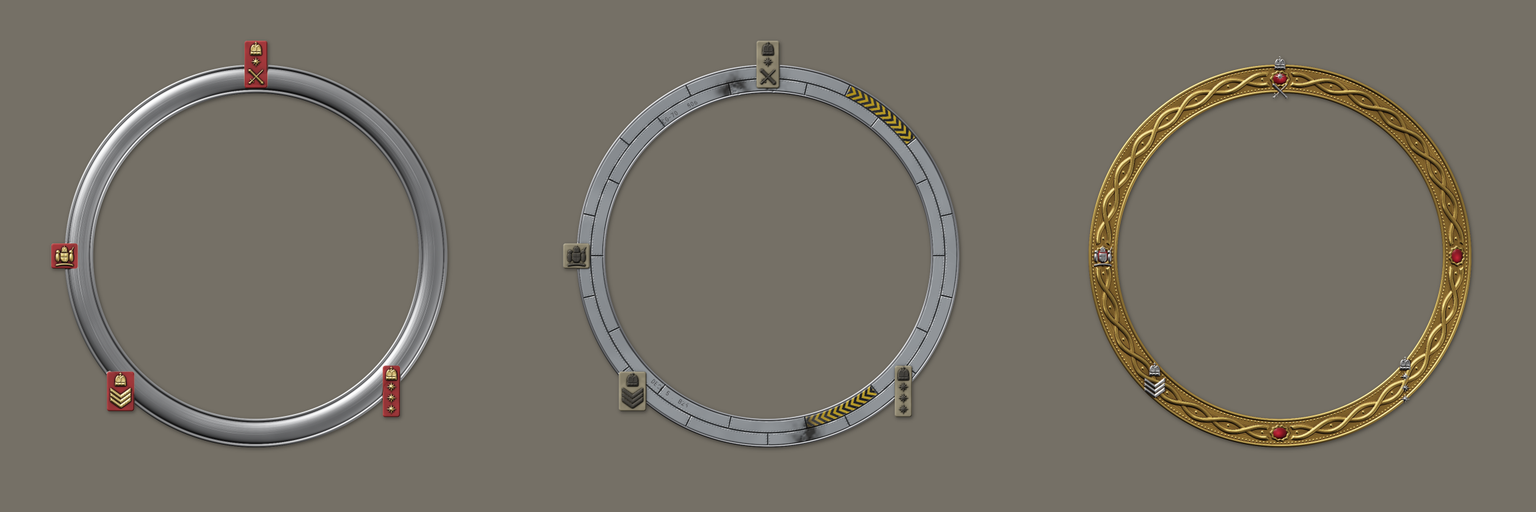
Rank insignia show an army rank on a token's ring. In the Ring Generator, pick one from the Ranks (Army) group of the Add list, or add Rank insignia and choose its Rank.
| Ranks | Insignia |
|---|---|
| Lance corporal, corporal, sergeant | One, two or three chevrons |
| Staff sergeant | Three chevrons under a crown |
| Warrant officer class 2 | A crown in a laurel wreath |
| Warrant officer class 1 | The royal arms |
| Second lieutenant, lieutenant, captain | One, two or three Bath stars (pips) |
| Major | A crown |
| Lieutenant colonel, colonel, brigadier | A crown over one, two or three pips |
| Major general | A pip over a crossed sword and baton |
| Lieutenant general | A crown over a crossed sword and baton |
| General | A crown and a pip over a crossed sword and baton |
| Field marshal | A crown over crossed batons in a wreath |
Each rank comes in three finishes:
- Dress - gold lace on a scarlet tab.
- Combat - subdued dark thread on a tan tab.
- Metal - polished metal insignia pinned straight to the ring, with no tab.
The tab straddles the ring's outer edge; bare metal sits on the band. Ranks sit at the bottom left and stay upright wherever you put them, unless you untick Keep upright. The insignia and the tab each have a material you can change; until you do, they follow the finish.
Emblems, shields and banners
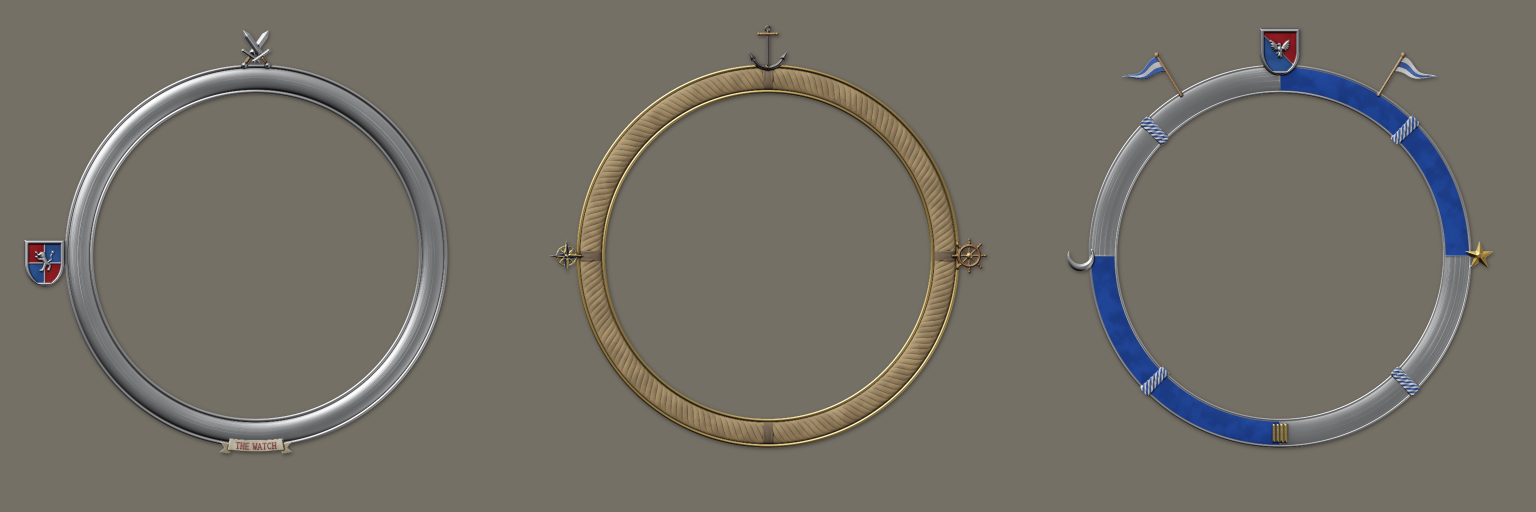
An Emblem stands a single device over the ring. Choose its Device:
- Charges - a star or a crescent.
- Beasts - a lion rampant, an eagle, a wolf's head or a dragon.
- Nautical - a compass rose, an anchor or a ship's wheel.
- Weapons - a sword, an axe, an arrow, a staff or a spear.
A weapon can be a Crossed pair, with the Second weapon the same or another one (crossed sword and axe), leaning at the Crossing angle. Each device has its own materials until you change them, such as a steel blade on a wooden grip or a wooden wheel with a brass hub.
A Shield can carry any of the same devices instead of its cross or chevron. Its Field can be plain, quartered, or split in two (per pale, per bend or per chevron), with the second part in its own colour (Second field colour, red until you change it).
A Scroll banner is a ribbon along the ring with up to 24 letters on it, such as a name or a faction's initials. Choose its Font (blackletter suits a gothic or heraldic ring), Ends (notched tails, rolled up, or none) and Size (up to four times its usual width); its Length fits the text unless you set one. The ribbon, the back of its folds and its lettering each have a material. It sits at the bottom of the ring by default and its text always reads upright. It follows the ring's curve, or set Line to Straight for a flat banner across the ring, its ends standing off it. The lettering is too small to read on a token on the map, so scrolls are for frames you design in the Ring Generator rather than ornaments given by rules.
Tier pips can be drawn as diamonds, stars, domed orbs, chevrons stacked out from the ring, or tally marks (the fifth struck through the other four): set their Marker.
Wings, horns and dragons
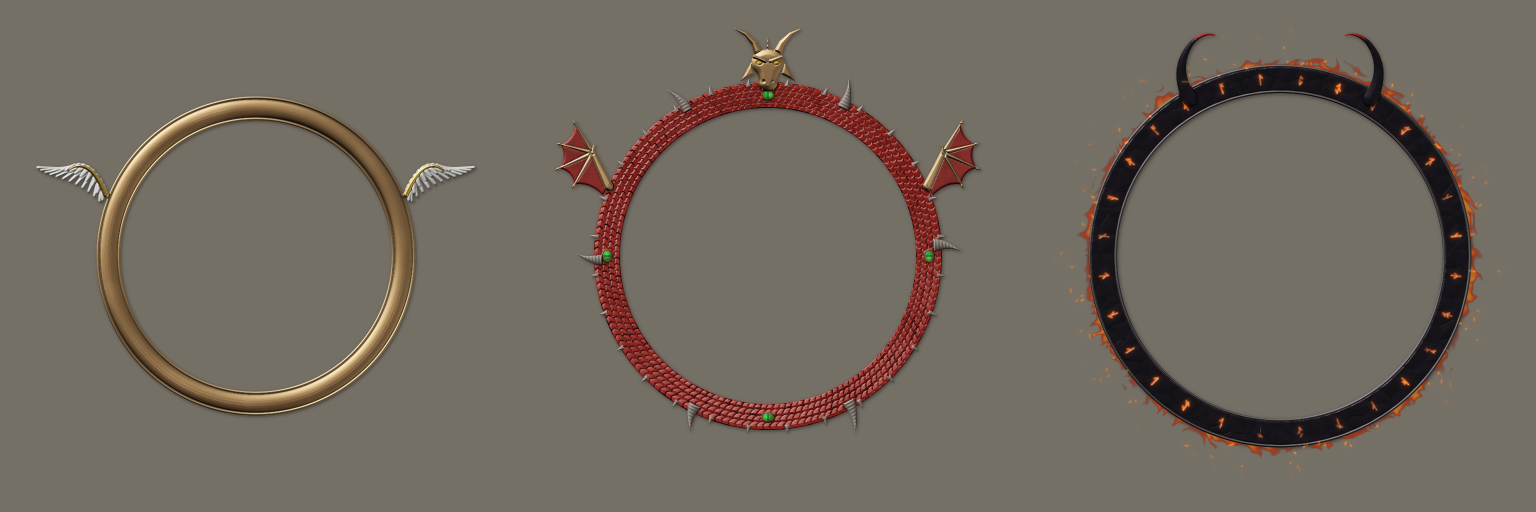
- Wings - feathered, bat or dragon wings rising from the ring's upper sides.
- Horns - bull, ram or demon horns, or antlers.
- Dragon's head - a horned, frilled head facing out of the token at the top of the ring, with glinting eyes.
Wings and horns come as a pair, one mirrored across the ring; untick Mirror across the ring for a single one. Each style has its own materials until you change them, such as white feathers with a gold edge or black demon horns with red tips. Wide wings reach well past the ring, so a frame wearing them is made a little larger to fit them in, and the ring is drawn smaller within it. Given by rules to a token that is not oversized, they are set lower over the ring, and drawn smaller if they are still too large, so they fit.